
Voice recognition can help people with their writing. Google Docs offers Built-in Voice typing and Google Chrome is available on various systems (Windows, Mac, Chromebook). There is no voice training required like other speech recognition software. This allows you to talk directly to your computer without even needing a microphone headset. Of course it is recommended that you use it without too much background noise and speak directly to your computer’s built in microphone. You can also use voice commands (i.e. Insert header) to edit documents.
If you have not used Google Docs, it is recommended to install Chrome browser (download link: https://www.google.com/chrome/browser/desktop/index.html) and follow the next steps to access Google Docs.
How to use Voice-Typing in Chrome
Sign in Google Docs from Chrome https://www.google.com/docs/about/ and login to your e-mail account.
Or you are already logged in your e-mail account from Chrome browser.
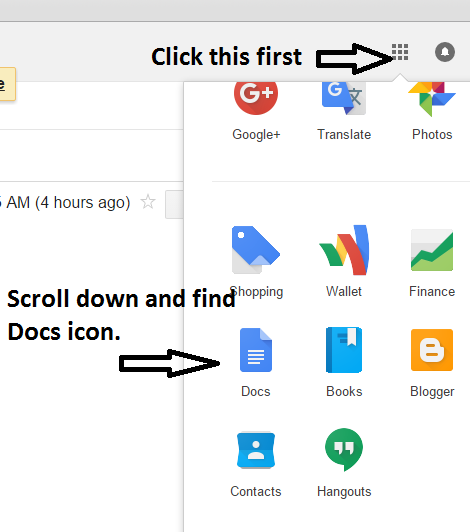
You will find the Google Docs link by navigating from the upper right corner.
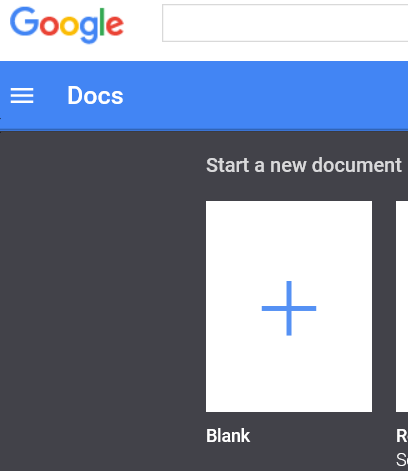
Select a new document or any document you already have.
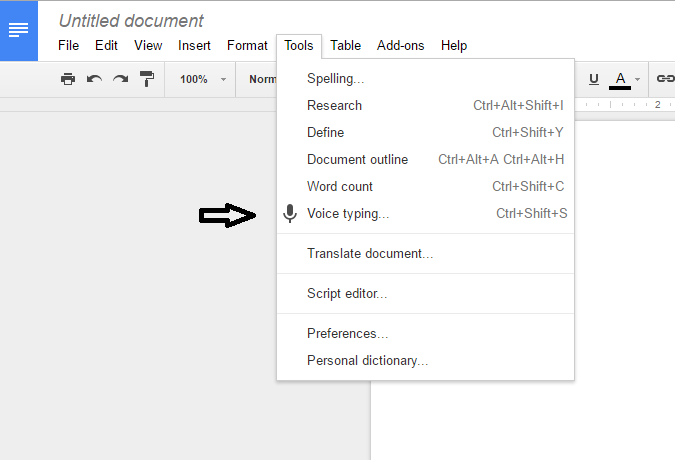
Click Tools and select Voice Typing
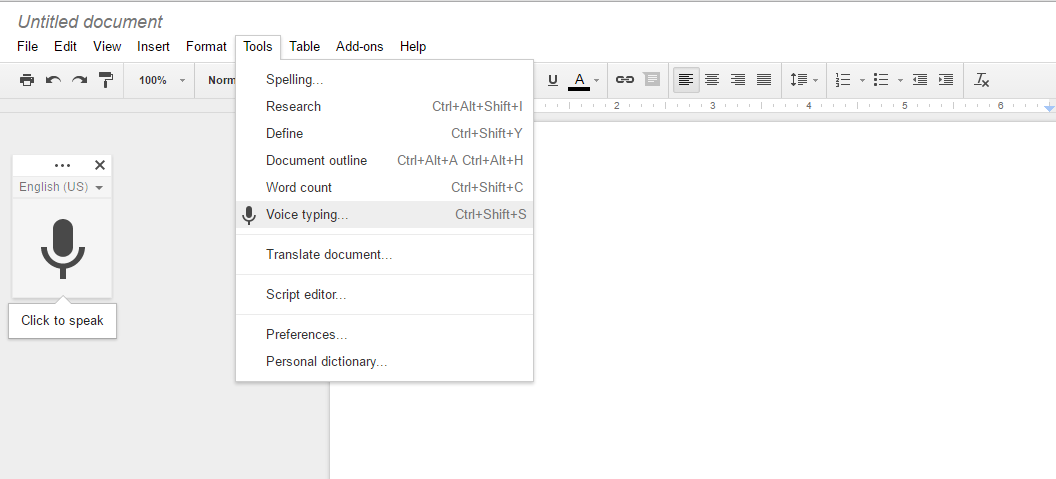
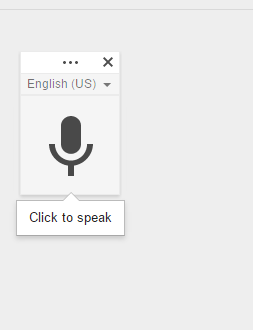
Then click speak icon.
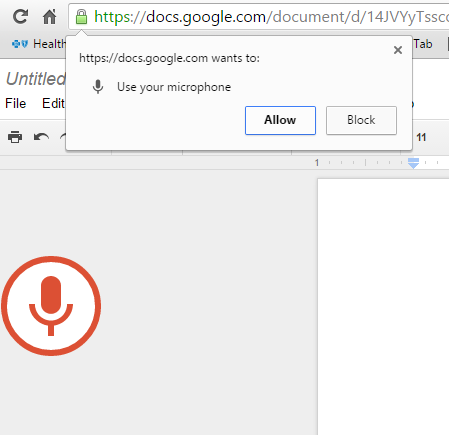
Click the button, “Allow”.
Microphone configurations
If you would rather use an external microphone, you will probably need to configure your microphone on your computer. You can access the microphone configuration settings either from the Accessibility feature menu or Control Panel.
How to set up your microphone from Accessibility Feature.
Press Windows key  + U.
+ U.
Select the computer without a mouse or keyboard.

Then select “Use Speech Recognition.”
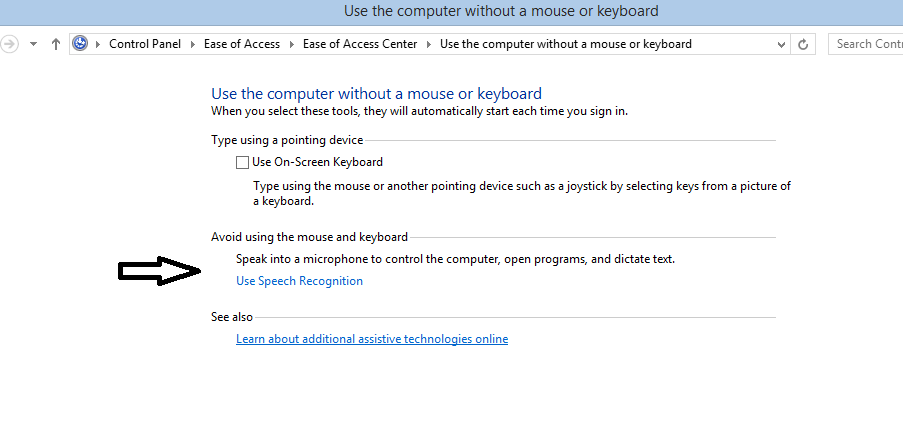
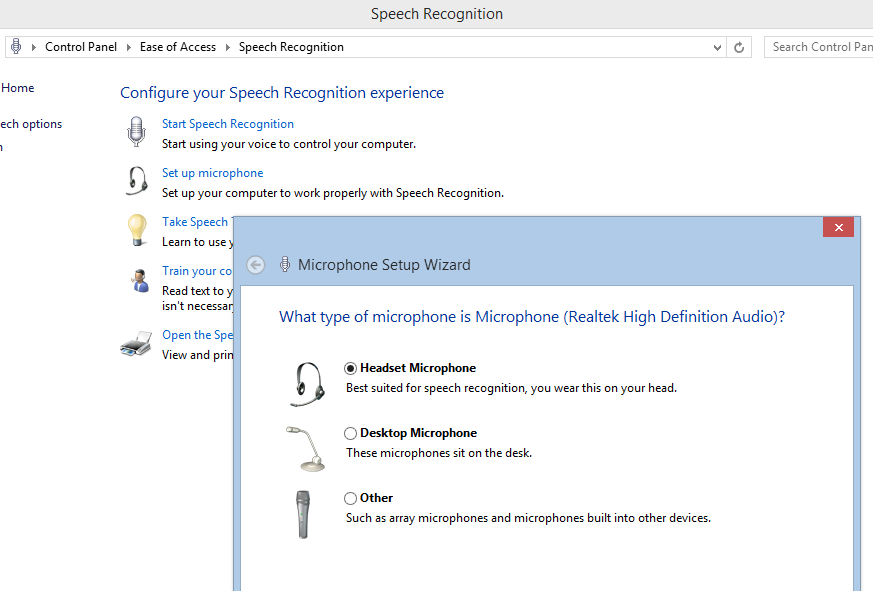
Select your microphone and go through “Microphone setup wizard”.
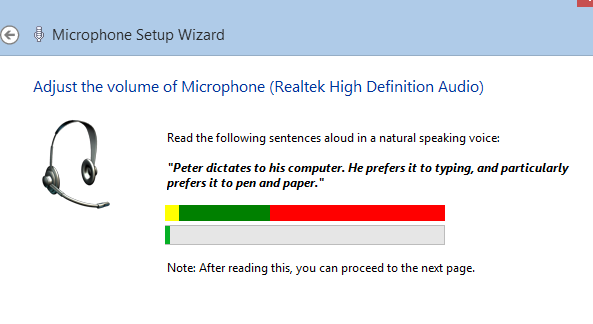
Another way to set up a microphone from the Control Panel
Go to the Control Panel on your computer, and elect Manage audio devices under the Sound.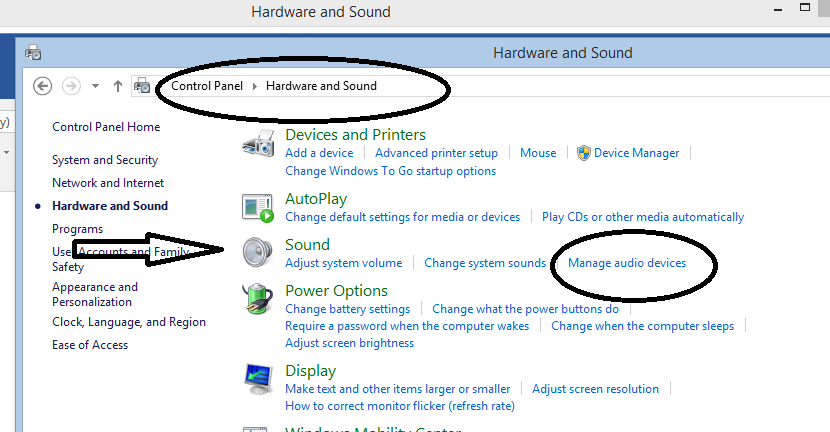
Select Recording tab, highlight your microphone, and click the Configure button.
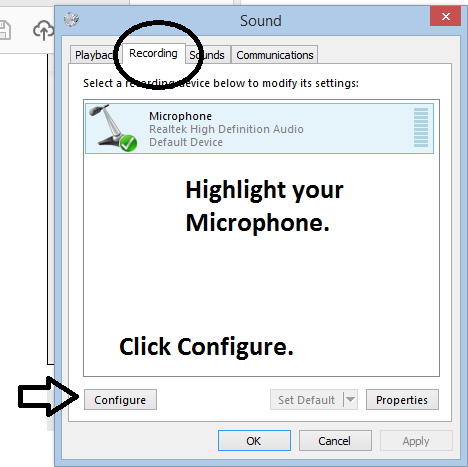
Then select “Set up microphone” and the type of your microphone, and follow through the same way as the previous example.
A few disadvantages of using Google Docs, you will need to use it online by logging in from your e-mail account. It is not an accessible tool for those who cannot afford to have an Internet service at home or have intermittent service (i.e. a weak signal area). Once you log out of your e-mail account, you will not be able to use Google Docs and will get the message shown below.
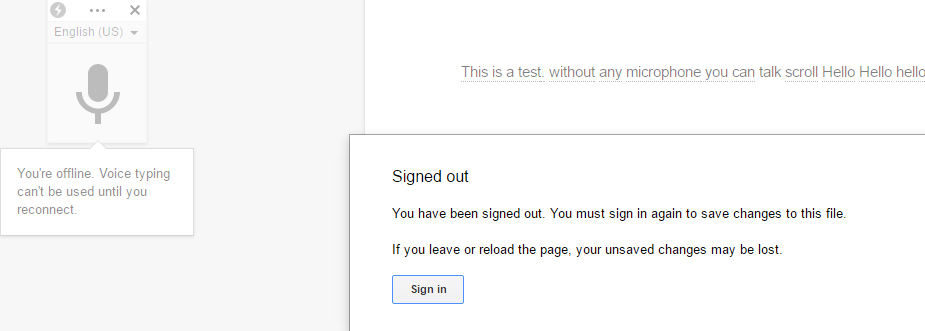
Of course, this online tool (Google Docs) offers various advantages for persons who are always online (i.e. Cloud/ Social Media users) or need to access documents from multiple locations where wireless service is available. It is an economical tool for persons who struggle in writing. Many of today’s students can formulate their thoughts by using their voice and then submit their homework using these innovative digital learning methods.
Here is a link of how to use the Voice Typing features in Google Docs (link: https://support.google.com/docs/answer/4492226?hl=en)