Tar Heel Reader

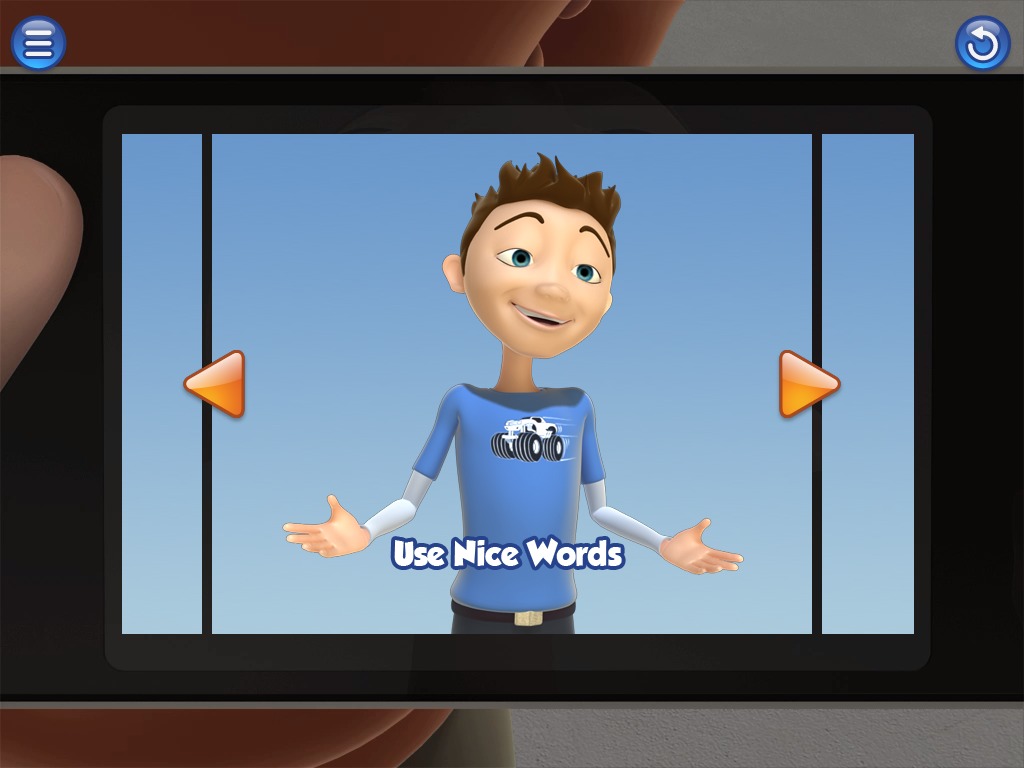
Tar Heel Reader offers free, easy-to-read, and accessible books. These books area created by teachers and students. You can download these files and use them as slide shows in PowerPoint. These books can be speech enabled with the following voices  of a child, a woman, or a man’s voice or simply silent. The files can be accessed by touch screens, IntelliKeys and switches. You can also create your own book and publish it on this web site. The Tar Heel Reader can be used as a wonderfully engaging activity in the classroom.

TarHealReader

Posted in AT_Software | Leave a comment

Digital Problem Solver (DPS) app

An Autistic child is an individual with unique needs. One example can be on how to cope with his or her feelings. The Social Express Inc. develops apps, which are designed to teach users how to think about and manage social situations. For example, the Digital Problem Solver (DPS) app (99 c) allows the user to identify how they are feeling by choosing from a selection of emotions (Bored, Happy, Surprised, Mad, Annoyed, Sad, Frustrated, Scared)   Once you identify your feeling, then you will be guided  to choose a coping strategy to help you control the situation. Strategies include: Take Five Deep Breaths, Take a Break to Calm Down, Remind Myself to Keep positive Thoughts In My Head (or learn how to control negative comments). If controlling the situation is more complex, the pictures can be personalized by adding text to label the feeling or the strategy.  You can also use your own photos and customize to your specific needs.

The-Social-Express-32

Additional product information from the Social Express Inc.

Posted in AT_Apps | 1 Comment

Games for learning

Educators and parents recognized that some games help children develop in other areas, such as instilling motivation to learn, encouraging decision-making strategy, increasing creative design, improving strategy, promoting co-operation and teamwork, and fostering problem solving. In addition, they indicated that certain games motivate children to work on literacy and other creative activities, such as writing stories and other narrative-specific skills.

A few years ago, while I was researching Games, I came across a school, which included an exercise game called Exergame as one of their activities.

http://www.youtube.com/watch?v=8LnzYspqYCU

In the Dovepress Joural, an article published on September 2011, titled “Management Autism and exergaming: effects on repetitive behaviors and cognition” (http://www.ncbi.nlm.nih.gov/pmc/articles/PMC3218790/),  it is reported  that case studies and preliminary research show that aerobic activity can decrease self-stimulatory behaviors in children with autism.

Other games have been researched by educators. For example, New Mexico University has a learning game lab, funded by the National Science Foundation, U.S. Department of Agriculture, the State of New Mexico and 15 other university partners.(http://learninggameslab.org/index.html)

After reading the comments from many sources, I have considered more of the benefits, such as developing creativity and imagination, collaborating with other students, and exploring thoughts and feelings.  What is your opinion about games?

Posted in Games | Leave a comment

Dropbox vs. Evernote

While researching productivity apps, I have found many articles about Dropbox (https://www.dropbox.com/) and Evernote (http://evernote.com/), and many people seem to like both.  These services are based in the cloud, and I think that both services are good productivity apps.  If you are wondering about the differences, you may find the following articles below interesting. However, I have also discovered that you may be restricted in use to one or another if you combine with another app or a device.  For example, when I was testing a Livescribe Sky Pen (http://www.livescribe.com/en-us/smartpen/wifi-smartpen/), the Sky pen model only supports Evernote app.  A text-to-speech app, Voice Dream (http://www.voicedream.com/), uses Dropbox.

Dropbox vs Evernote – The Differences Explained, and How to Use Them Both Effectively
http://www.techbarber.com/dropbox-vs-evernote-how-to-use-effectively/

Evernote and Dropbox Why
I Use (and Love) Both
http://nerdgap.com/evernote-and-dropbox-why-i-use-and-love-both/

Dropbox vs Evernote


Posted in AT_Apps | 1 Comment

Reminder Apps

I attended a Webinar sponsored by RESNA the other day. In this webinar, Tony Gentry, PhD OTR/L presented how apps and strategies can be used with smart phones, PDAs, or tablet computers to help veterans with cognitive-behavioral challenge related Traumatic Brain Injury (TBI). Here are a few of apps introduced during the webinar and plus additional reminder apps.  I am planning to add more information about productivity apps in my next post.

Reminder apps:

Due ($4.99):  This app is simple to use, no account to create, no start or end date to set, no need to prioritize, tag nor categorize. http://www.dueapp.com/

TellMeLater (99c): This app allows you to create quick and simple reminders. http://www.youtube.com/watch?v=RNf_rLJ56fI

BugMe! Stickies ($1.99):Notepad with Alarms: This app replace those paper sticky notes with handwritten or text notes on your iPhone and iPad.

Stick-it iPhone Sticky Notes (free or a Pro version for 99c): Sticky Notes isn’t just a note taking and organizing app but also you can add alarms to the note reminders. http://www.youtube.com/watch?v=ETgvjG7d8cM


Posted in Assistive Technology | Tagged , | Leave a comment

Windows Phones

Windows Phones offer many ways for you to personalize your phone like iPhone and Android phones. It seems that over 130,000 apps including Live apps are available for Windows phones.   You can access the built-in accessibility features called “Ease of Access” from Settings.  The features include magnification by tapping, enlarge text on apps, high contrast, listen to text messages hands-free, voice recognition, and read-out-loud your received text message.  You can also use your Windows phone with a TTY/TDD to make a phone call by using the appropriate cable and connector for the headset jack.  I have not heard much about people using these Windows phones yet, but I would like to see more developers come up with unique features such as interfacing with mice, switches, and Eye Gaze systems.

[youtube=http://www.youtube.com/watch?v=bZKLPMsb2g0]

Posted in Accessibility Features | Leave a comment

Google Glass

What are Wearable computers?  According to the Wikipedia, “Wearable computers, also known as body-borne computers are miniature electronic devices that are worn under, with or on top of clothing.”

Adib Ghubril, a Research analyst and Director at Gartner’s Technology, noted that “Wearable computers are certainly getting more hype” and selected Google Project’s Glass is the hottest wearable computer last summer in the Networkworld magazine. Then, the Technology section of the online Time magazine in November, 2012, picked Google Glass as “Best Inventions of the Year 2012.”

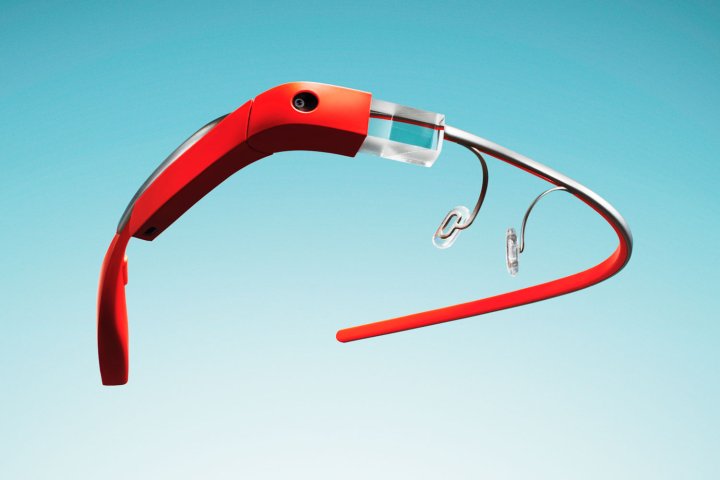
Google Project Glass is a new type of wearable computer built into the frame of a pair of glasses so users can take and share photos, check appointments, access maps, and surf the Web.  If you have not watched any Google Project Glass videos, here are some YouTube video links from 2012.

https://www.youtube.com/watch?v=Nc4ox89bofk

http://www.youtube.com/watch?v=uh-liQDE3cM

Google is holding its first developer workshops in January 2013. Once developers can start coming up with applications for use on the Google devices, technology interaction for people with disabilities should be coming soon.

Google Glass

If you want to know more about Google Project’s Prototype Glass, you may want to watch this video titled, “Rapid prototyping – Tom Chi Google Glass from TEDEducation.

http://www.youtube.com/watch?v=d5_h1VuwD6g

Posted in Assistive Technology, AT_Device | 2 Comments

All-terrain wheelchairs

Years ago, I lived in South Dakota in an undeveloped area where an all-terrain wheelchair may have served a real need.  However, since I have been living in a metropolitan area for many years, I have never received questions about all-terrain wheelchairs. So when I read an article about all-terrain wheelchairs in the ‘USA Today’ newspaper, I was excited about the options allowing wheelchair users to enjoy the great outdoors.

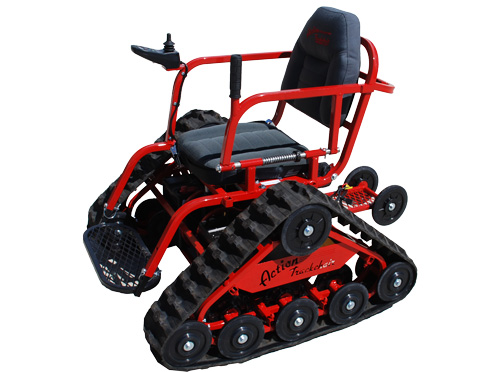
For example, Tim Swenson of Marshall, Minn., has made the great outdoors accessible to his son by designing all-terrain wheelchairs.  He has been developing these all-terrain chairs to others who want this dream as well since 2008.

ActionTrack
http://www.actiontrackchair.com/

trackchair

Another example of all-terrain wheelchair:

TerrainHopper
http://www.terrainhopper.com/

[youtube=http://www.youtube.com/watch?v=Higr3ahJoxk]

Posted in Assistive Technology | 1 Comment

Keyboard case for iPhone

Many people use iPhone have become accustomed to a phone with a keypad but still miss the tactile feeling of pressing actual keys.  Some manufacturers already have released an Apple iPhone 5 Bluetooth Keyboard in a case that slides out to reveal a backlit QWERTY keypad.

For iPhone 4S/4, this website talks about 7 portable keyboards for Phone 4 and 4S  .  Among them, the SWIVEL Bluetooth keyboard almost looks like a miniature touch screen laptop.  According to the description at Concord Keystone this can be used for an iPad and iPad 2 by removing it from its case.

Just to show how it works,  I referenced the following TypeTop Swivel keyboard case the You-Tube video. I suspect it works very similar to the one in from Concord Keystone.

[youtube=http://www.youtube.com/watch?v=jkmlE9p26Uo]

 
Posted in Uncategorized | 4 Comments

Switch Mouse by Humanscale

Switch Mouse from Humanscale has been on the market for a while.  This mouse has a V-shaped base, which allows the wrist and forearm to be in a natural position, and most users found that this mouse is amazingly comfortable.  The Switch Mouse accommodates both left- and right-handed users while adjusting to fit the size of most adults’ hands.  According to the Humanscale, the Switch Mouse driver is currently only available for Windows.  Mac users can use the Switch Mouse as a plug-and-play input device with standard mouse functionality. Mac users cannot use side-to-side scrolling or the programmable buttons. However, all other ergonomic features of the Switch Mouse are available on both Mac and PC users.  Our demo center has one that can be tested by anyone.  Come on in and try it!

Switch Mouse

Posted in Assistive Technology | 2 Comments